Procorem Release Notes: Version 26.1 Release 1
ProLink Solutions is pleased to announce a Procorem release.
User Acceptance Testing (UAT) Build: February 12, 2026
UAT Rebuild: March 5, 2026
Production Build: March 12, 2026
What's New
The release introduces the following new functionality.
Management of Inactive Users
To help administrators better manage account users, ProLink added a new Inactive Users tab to the People & Permissions page, which lists the users who have left or been removed from the account. This tab replaces the Contacts tab, which has been retired.
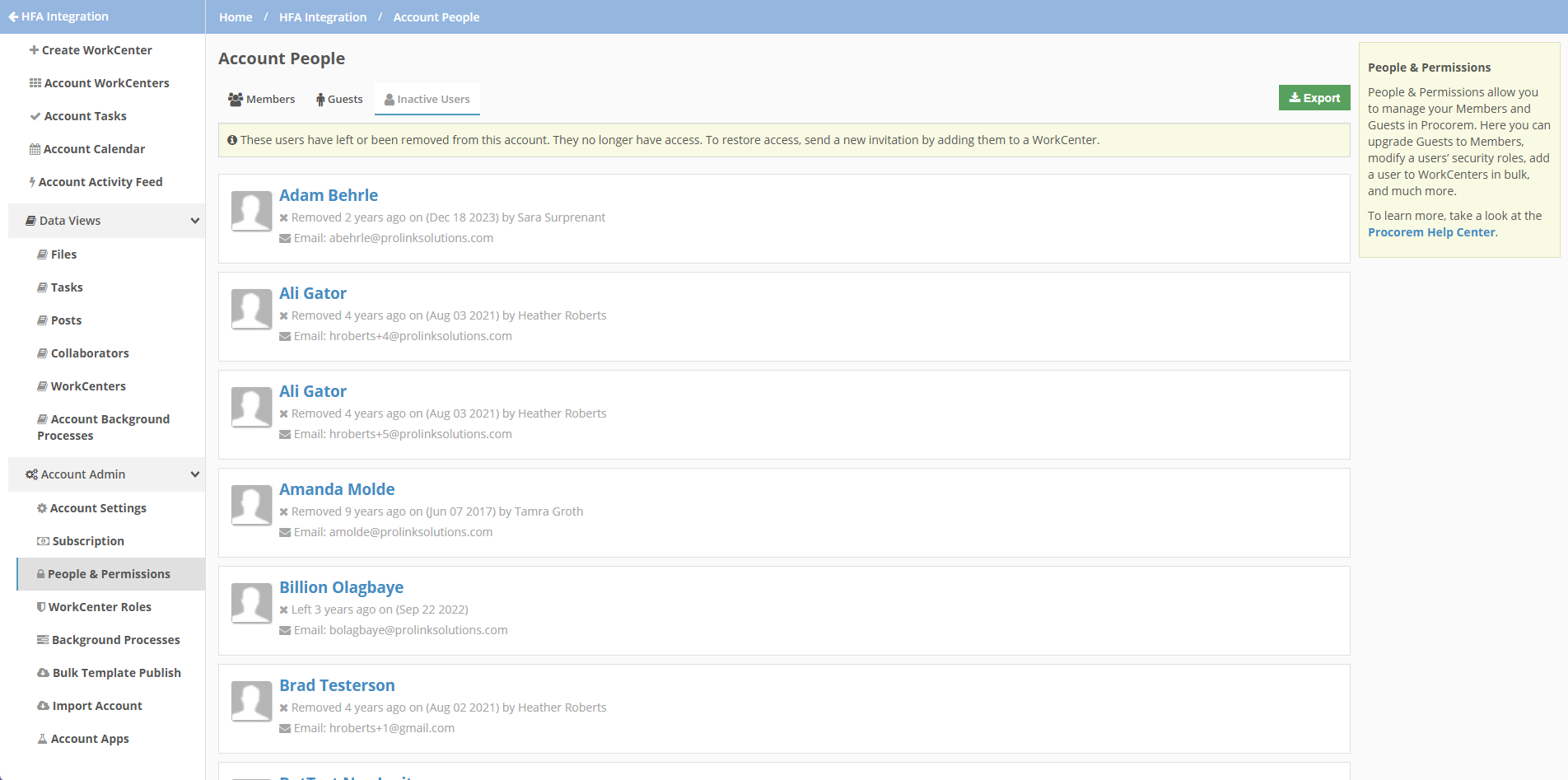
Inactive users are included in the export of the People & Permissions page.
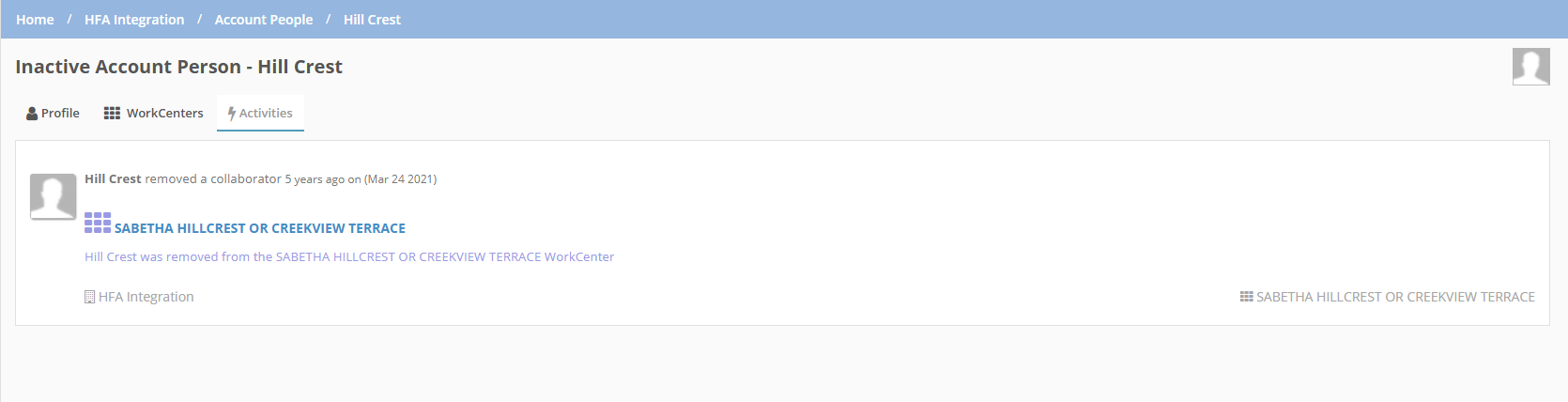
When you click the user card, the Inactive User details page opens.

This page includes three tabs:
Profile—This tab lists the information that appears on the previous Inactive Users tab: who the user was invited by and when; when the user left the account or was removed from the account (and by whom); and the email address for the user.
WorkCenters—This tab lists the active (non-archived) WorkCenters that the user was assigned to. You can export this list. In addition, you can navigate to a WorkCenter to assign a replacement Collaborator if you have permission (links are active for account admins, but user admins must be active on the WorkCenter to access it).

Activities—This tab shows the standard list of activities sorted by most recent performed by the user across WorkCenters.
Messaging When Email Is Already in Use
ProLink updated the process of adding a user to WorkCenter to make it more apparent when the profile already exists in Procorem.
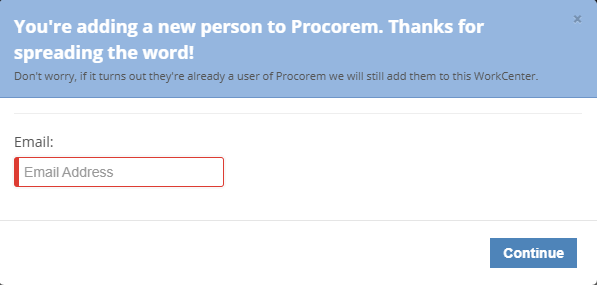
When you click the plus sign  to add a collaborator from the Add Collaborators page, the popup prompts you to enter the user's email address. The system checks for the email address in Procorem.
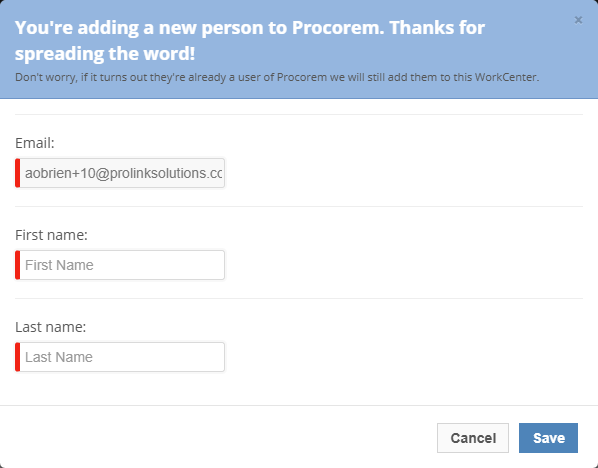
If the email address is not found, the popup prompts you to enter the user's first and last names. Clicking Save queues the user as a new collaborator to be added to the WorkCenter.
If the email address is found, the system shows the user's first and last names as read only. Clicking Save queues the user as an existing profile to be added to the WorkCenter.
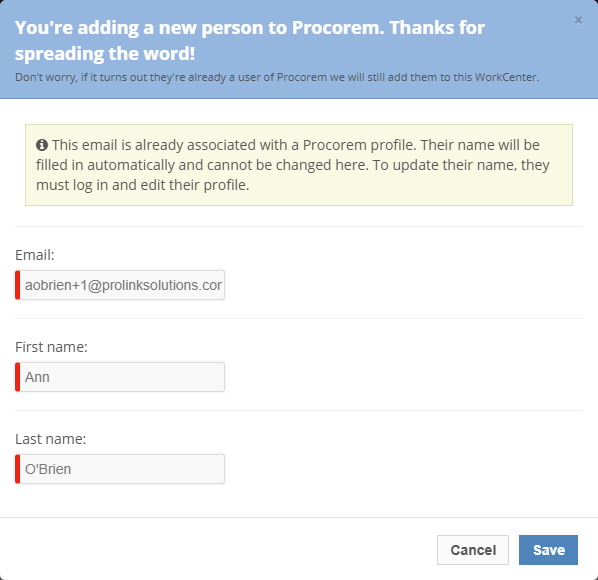
When you close the popup, the Add Collaborators page will show "New Collaborator" if the email address that is queued to be added does not already exist in Procorem and will show "Existing profile" if the email address that is queued already exists.
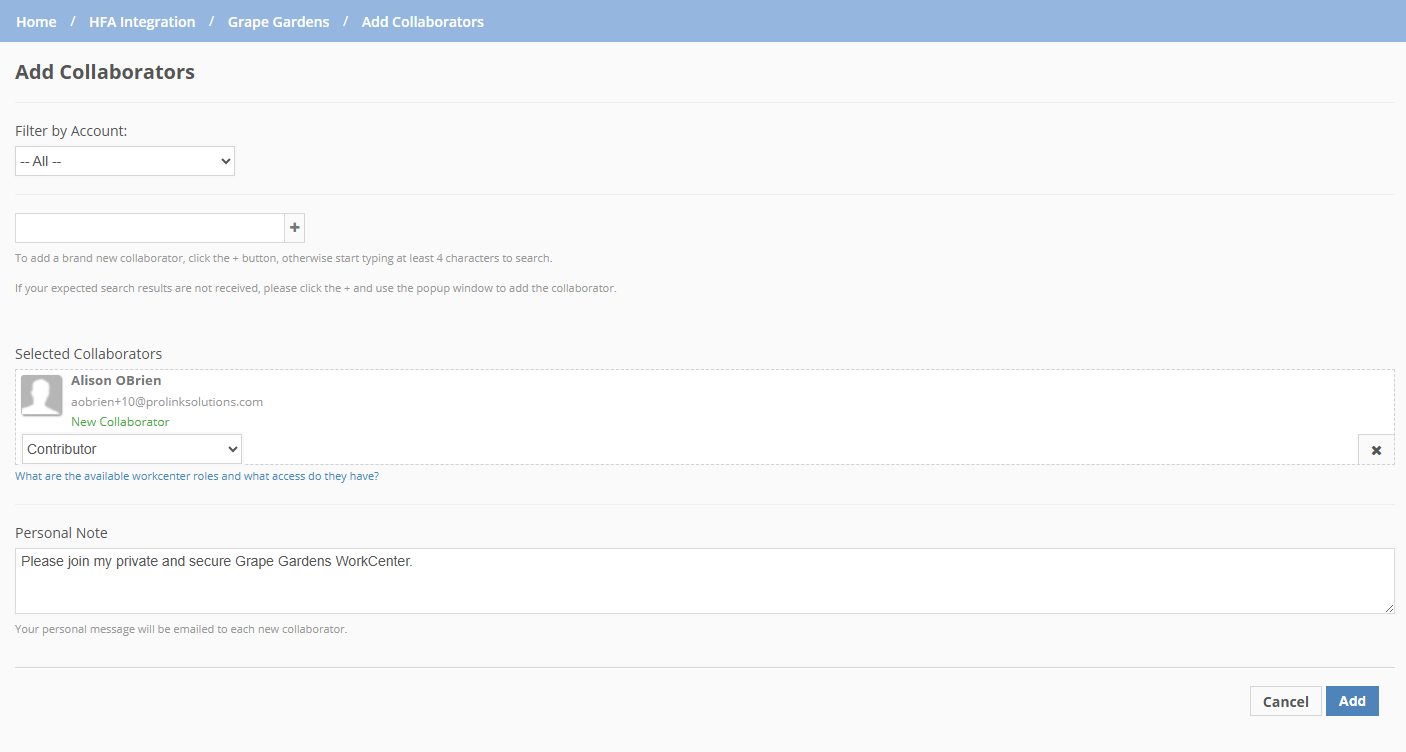
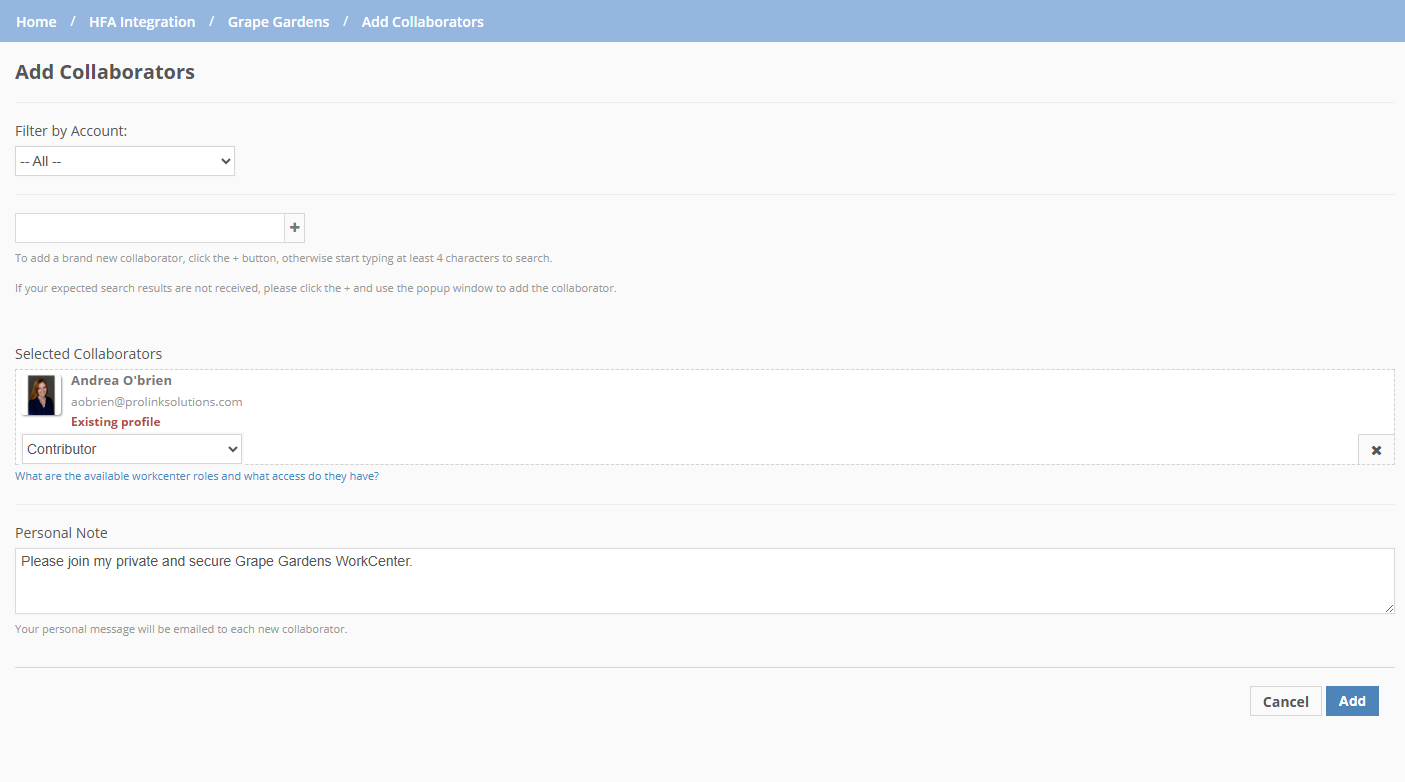
New Collaborator; Existing Profile
Updates to the Files Data View
You can now view the role of Collaborator in the Files data view with the addition of the following fields:
Initial Upload By Role
Last Upload By Role
Created By Role
Updated By Role
Note
The columns are not included by default. To add them, select them in the Columns list.
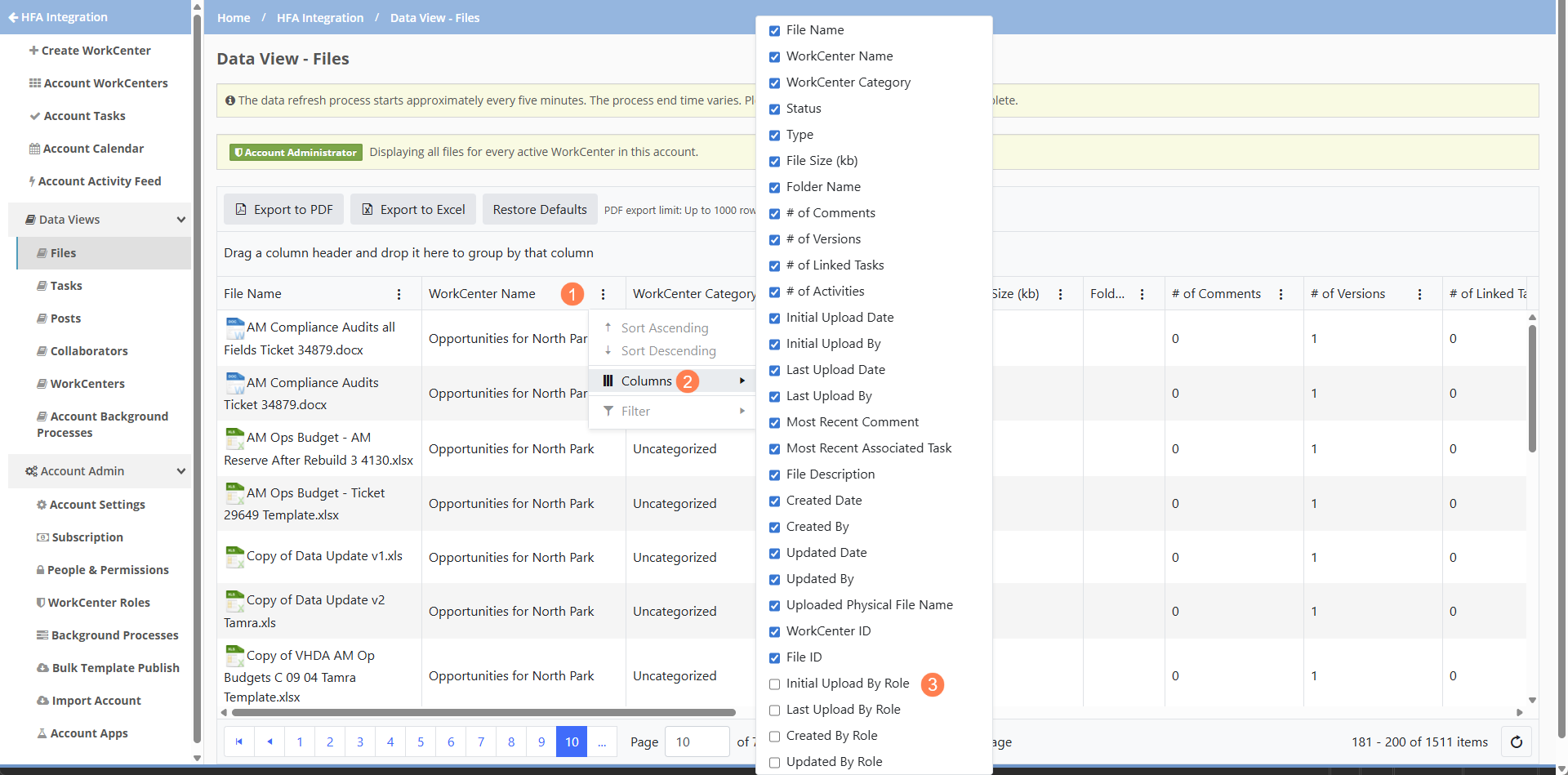
The columns initially appear at the bottom of the list. After you Restore Defaults, the list shows the columns sorted in their default location.
Tickets Delivered
The release includes the following items.
Ticket Number | Description |
|---|---|
31479 | ProLink fixed an issue with the bulk template publish functionality so that an error does not occur when the Template Task Group and Destination Task Group have the same name where the letter casing is different. |
N/A | ProLink fixed an error that occurred when a user changed the Default Role of a guest member (Account Admin/People & Permissions/Guests/Preferences). |
Rebuild Tickets (Version 26.1 Release 2) | |
N/A | ProLink updated the bulk template publish fix to address mixed letter casing regardless of whether the template or the destination includes upper or lower casing. |